
QUADRA
MIDI Controller
MDSH-0002
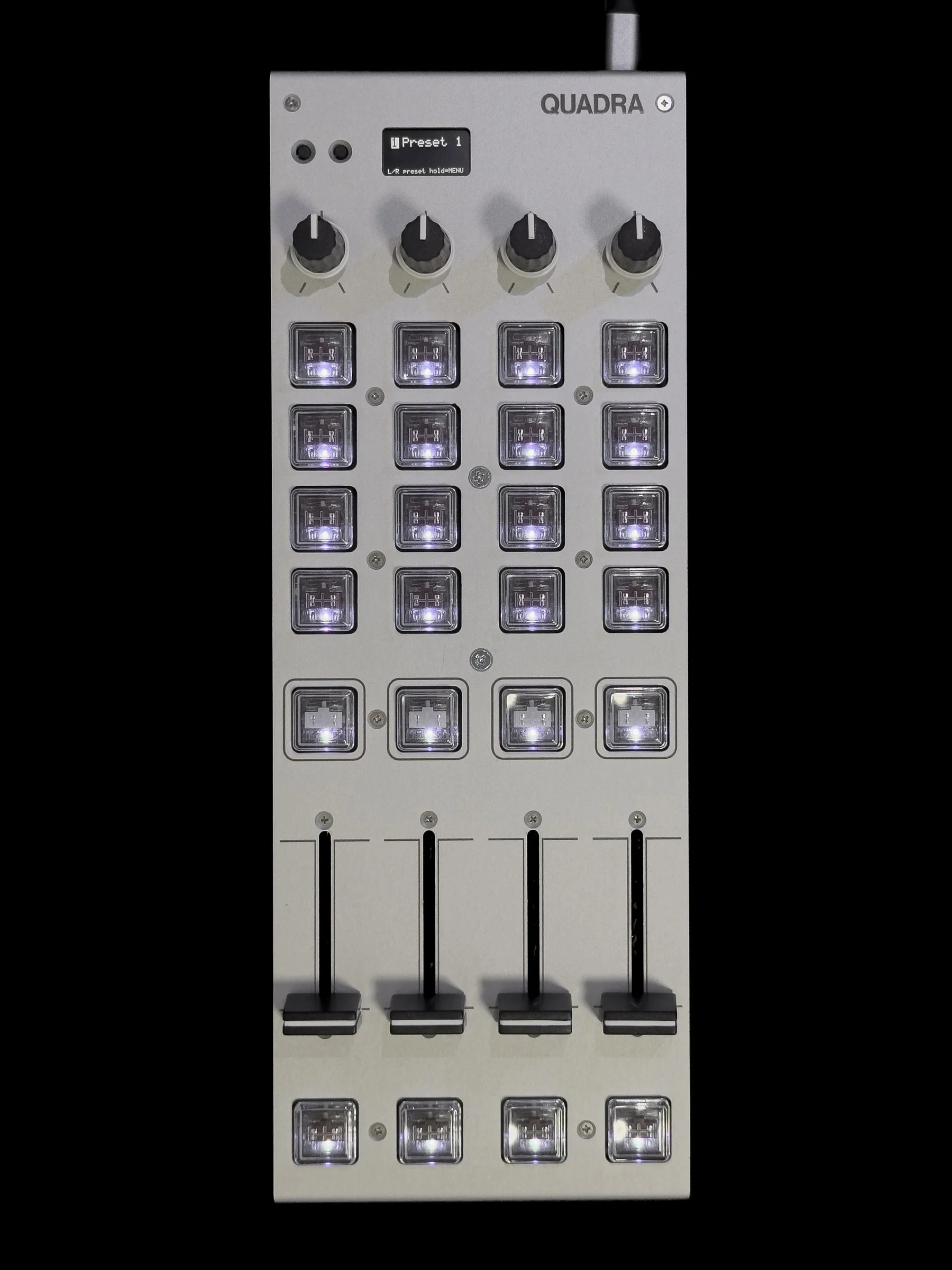
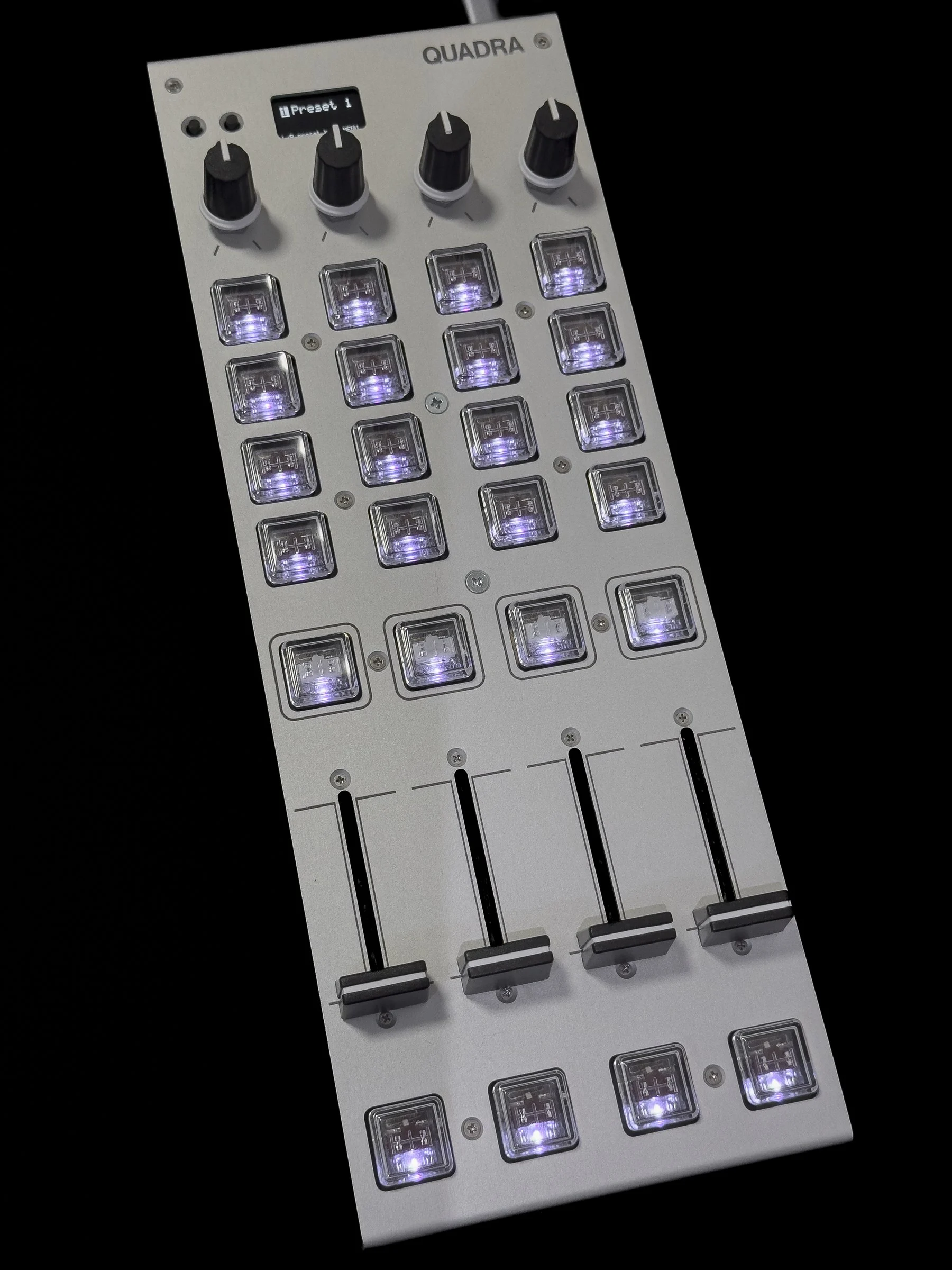
4chのフェーダーとノブ、24キーを薄型のアルミ製筐体に搭載した、ライブパフォーマンスやオペレーション向けのUSB MIDIコントローラーです。A USB MIDI controller for live performance and live operation, with four channels of faders and knobs and 24 keys in a slim aluminium case.
24キーすべてにKailh Choc v1のメカニカルスイッチとRGB LEDを搭載し、スイッチはホットスワップで交換可能です。パソコンがなくてもUSB給電だけでスタンドアローン動作し、背面のTRS MIDI OUTからハードウェアのシンセを操作できます。All 24 keys have Kailh Choc v1 mechanical switches and RGB LEDs, and the switches can be hot-swapped. It also runs standalone on USB power alone, with no computer, and controls hardware synths from the TRS MIDI OUT on the back.
専用アプリで1回の操作に複数のMIDIメッセージを割り当てられ、OSCでQLabやTouchDesignerなどのソフトも操作できます。In the companion app, one action can send several MIDI messages, and over OSC it also controls software such as QLab and TouchDesigner.
販売についてAvailability
初回ロットの価格は 39,800 円(税込・国内送料込み)です。公式通販サイトで予約を受け付けています。11 月末までに発送する予定です。発送先は日本国内に限ります。 The first-lot price is ¥39,800 including tax and domestic shipping. Pre-orders are now open on our online store, with shipping planned by the end of November. Shipping is within Japan only.
次のイベントの会場に掲示した二次元コードから登録いただいた方には 1,000 円引きのクーポンコードをメールでお送りします。予約時に入力すると割引が適用されます。 If you registered through the code posted at one of the events below, we will email you a coupon code for ¥1,000 off. Enter it when you pre-order.
- M3-2026秋M3-2026 Autumn 2026年10月25日(日)Sunday 25 October 2026 第一展示場2階M-09a(monoton)Exhibition Hall 1, 2F, M-09a (monoton)
- Festival of Modular 2026 TokyoFestival of Modular 2026 Tokyo 2026年10月31日(土)・11月1日(日)Saturday 31 October and Sunday 1 November 2026
海外向けの販売は 12 月以降を予定しています。もうしばらくお待ちください。 Sales outside Japan are planned from December onward. Please wait a little longer.
特長Features
交換可能なキースイッチSwappable key switches
24 個のキーには Kailh Choc v1 ロープロファイルスイッチを採用しています。出荷時は 4×4 のキーとフェーダー下の 4 キーに Brown(タクタイル)、フェーダー上の 4 キーに White(クリッキー)を搭載しています。ホットスワップ式のため、はんだ付けなしで好みのスイッチに交換可能です。全キーに RGB LED を内蔵し、ソフトから同じ番号のノートや CC を受信すると、キーの色と輝度が変化します。 The 24 keys use Kailh Choc v1 low-profile switches. As shipped, the 4×4 keys and the four keys below the faders use Brown (tactile) switches, and the four keys above the faders use White (clicky) switches. They are hot-swappable, so you can change them for ones you prefer without soldering. Every key has an RGB LED, and when your software sends back a note or CC with the same number, the key's colour and brightness follow it.
パソコンなしでも使用可能Works without a computer
USB-C で接続すればドライバ不要で Windows と macOS で動作します。充電器やモバイルバッテリーから USB 給電するだけでも、背面の TRS MIDI OUT(Type A)からハードウェアのシンセを操作できます。 Over USB-C it runs on Windows and macOS with no driver. With just USB power from a charger or mobile battery, it sends MIDI from the TRS MIDI OUT (Type A) on the back, so you can control hardware synths.
専用アプリでプリセットを簡単に設定Set up presets easily in the companion app
専用アプリ QUADRA Hub では、画面上の本体図から操作子を選択して割り当てを設定できます。フェーダーの応答カーブや 14bit 出力、MIDI チャンネル、CC 番号などを操作子ごとに調整でき、1 回の操作で複数の MIDI メッセージを同時に送信することも可能です。キーにはキーボードのショートカットやマクロも割り当て可能です。設定は 8 スロットのプリセットとして本体に保存し、液晶横のボタンで切り替えます。 In QUADRA Hub, pick a control on the drawing of the unit and set what it does. Adjust each control's fader response curve, 14-bit output, MIDI channel, CC number and more, and send several MIDI messages from a single action. Keys can also be assigned keyboard shortcuts and macros. Settings are stored on the unit as eight preset slots, switched with the buttons beside the display.
OSCでさまざまなソフトを操作Control a wide range of software over OSC
QUADRA Hub では OSC のアドレス、値の範囲、送信先を設定できます。QLab、TouchDesigner、Resolume、Max、VRChat など OSC に対応したソフトを直接操作可能です。OSC の利用時は、本体を接続したパソコンで QUADRA Hub を起動しておく必要があります。 In QUADRA Hub you can set the OSC address, value range and destination. Software that accepts OSC, such as QLab, TouchDesigner, Resolume, Max and VRChat, can be controlled directly. OSC requires QUADRA Hub to be running on the computer the unit is connected to.
コンパクトで丈夫な筐体A compact, sturdy case
約 112 × 305mm、高さ 22.1mm の薄型で、機材の多い現場やライブセットにも収まります。筐体はアルミ板金製で、天板はマットアルマイト、底板は黒アルマイトで仕上げています。ノブ、フェーダー、キースイッチはいずれもアルミ製の天板に固定しており、激しい操作や外力による基板への負荷を軽減します。 At about 112 × 305mm and 22.1mm tall, it fits into crowded desks and live rigs. The case is folded aluminium sheet, with a matte anodised top and a black anodised bottom. The knobs, faders and key switches are all fixed to the aluminium top panel, reducing the stress that hard playing or knocks put on the circuit boards.
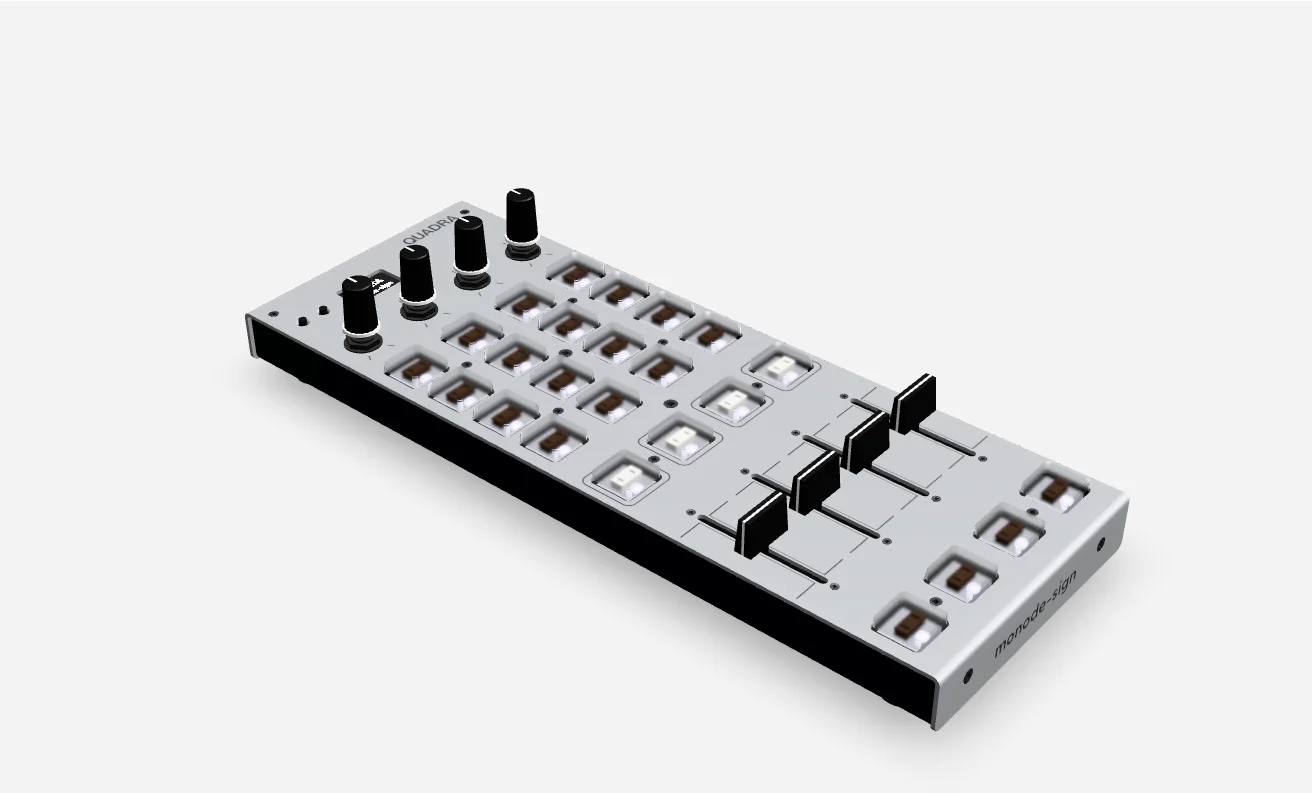
3Dモデル3D model
設計データから作成した3Dモデルです。ノブやキーキャップなど一部の部品は、実物と形状が異なります。A 3D model made from the design data. Some parts, such as the knobs and keycaps, differ in shape from the actual unit.
QUADRA Hub
割り当ての編集には専用アプリQUADRA Hubを使用します。QUADRA HubはWindows・macOS向けに開発中で、掲載の画面と機能は発送までに変更される場合があります。Mappings are edited in QUADRA Hub, a dedicated app for Windows and macOS. QUADRA Hub is still in development, and the screens and features shown here may change before units ship.
左側の本体図に各操作子の割り当てを表示します。8スロットのプリセットを切り替えて編集し、名前を付けて本体に書き込みます。CCやノートを配置した雛形から開始することもできます。The drawing of the unit on the left shows each control's assignment. Switch between the eight preset slots as you edit, name them, and write them to the unit. You can also start from a template of CCs or notes.
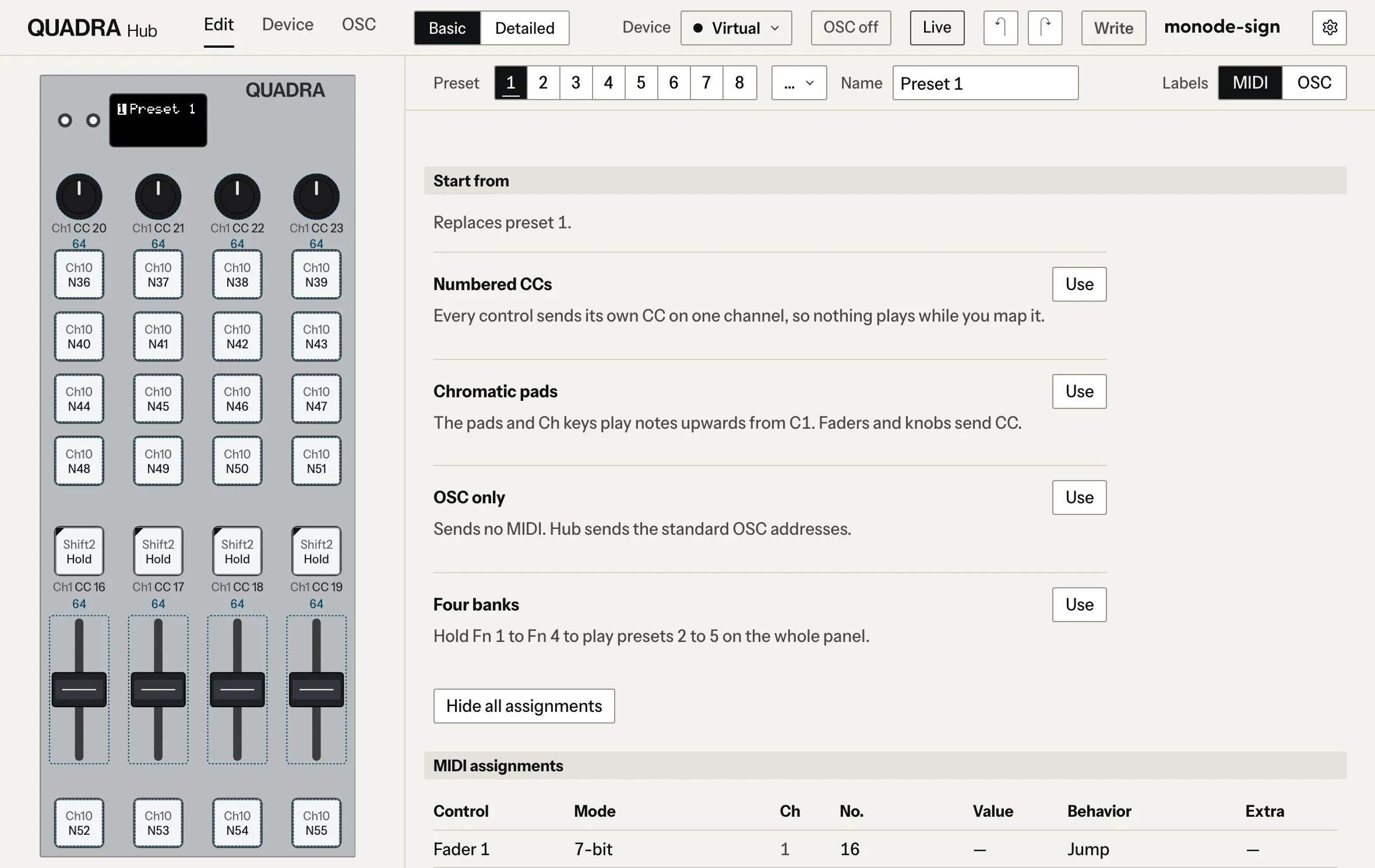
操作子を選択すると送信内容を設定できます。フェーダーとノブはCC番号、チャンネル、7bit / 14bit、カーブを選択できます。キーはノート、CC、プログラムチェンジ、キーボードのショートカットなどを送信し、押下中のみオンにするか、押下ごとに切り替えるかを選択できます。Select a control to set what it sends. Faders and knobs take a CC number and channel, 7-bit or 14-bit, and a curve. Keys send notes, CCs, program changes, keyboard shortcuts and more, either while held or toggled on each press.
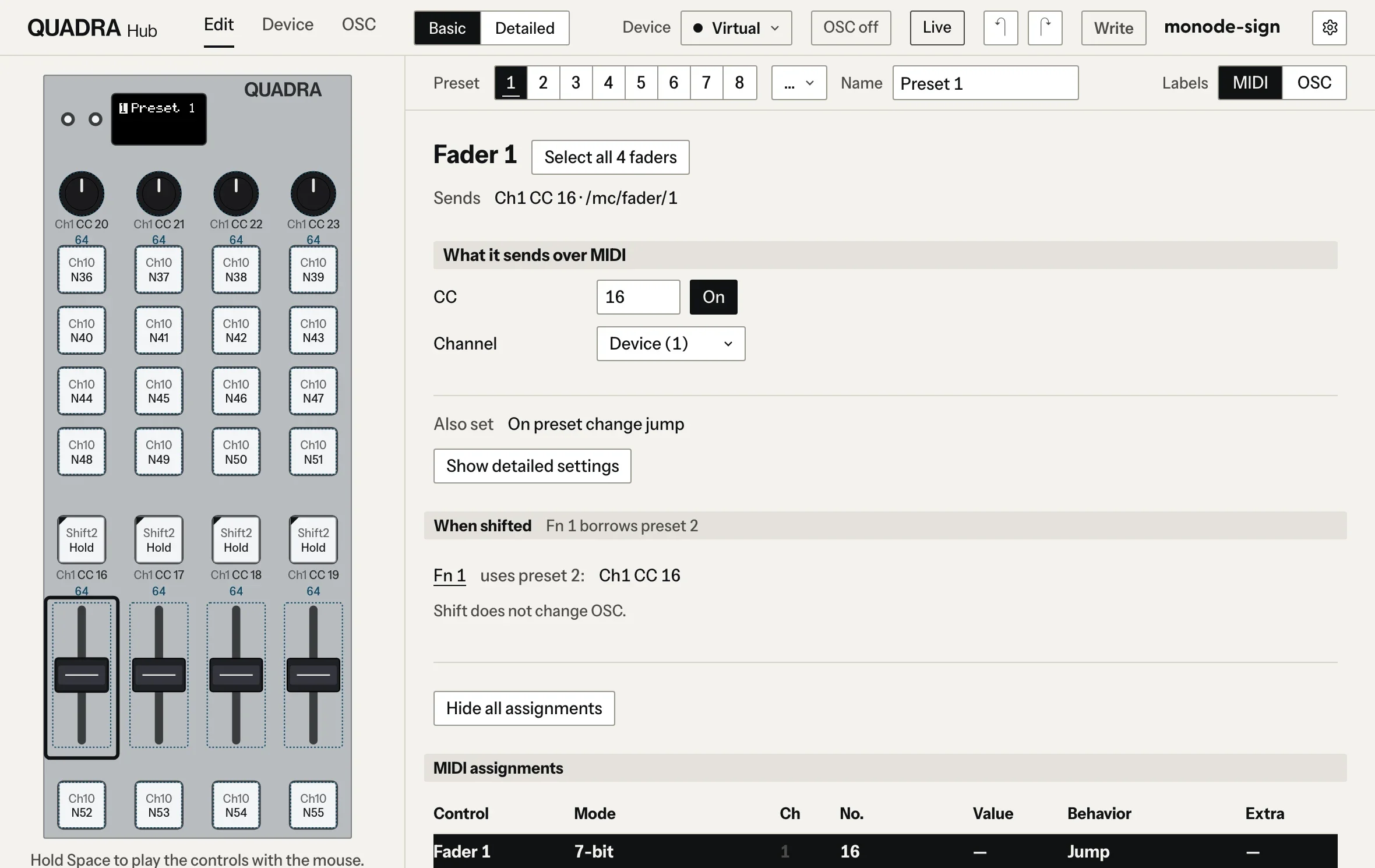
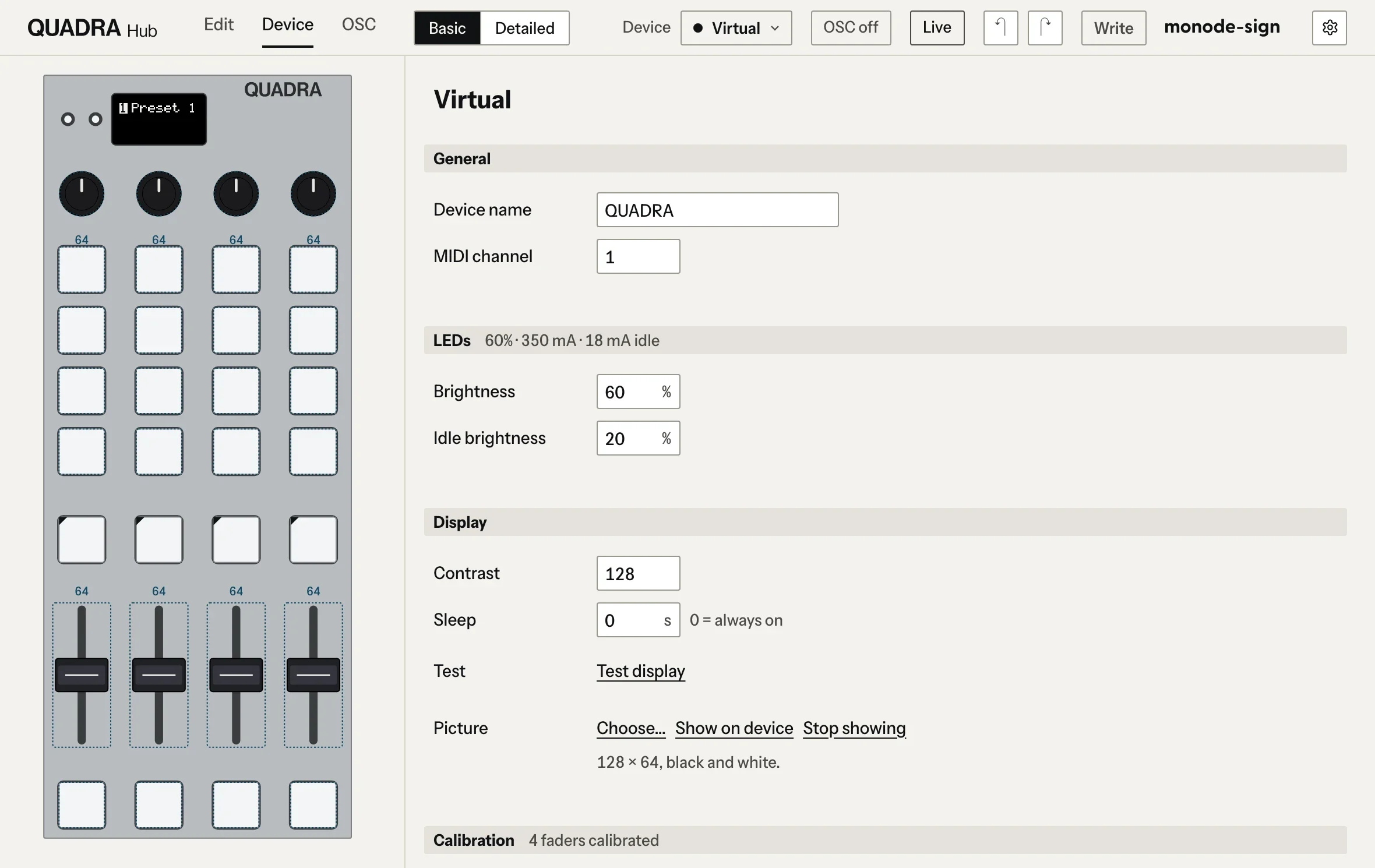
本体設定では機体名、MIDIチャンネル、LEDの輝度、液晶のコントラストを変更できます。あらかじめ2値化した128×64の白黒画像を、液晶に表示することもできます。The device settings cover the unit's name, MIDI channel, LED brightness and display contrast. You can also show a 128×64 black-and-white picture on the display, converted to pure black and white beforehand.
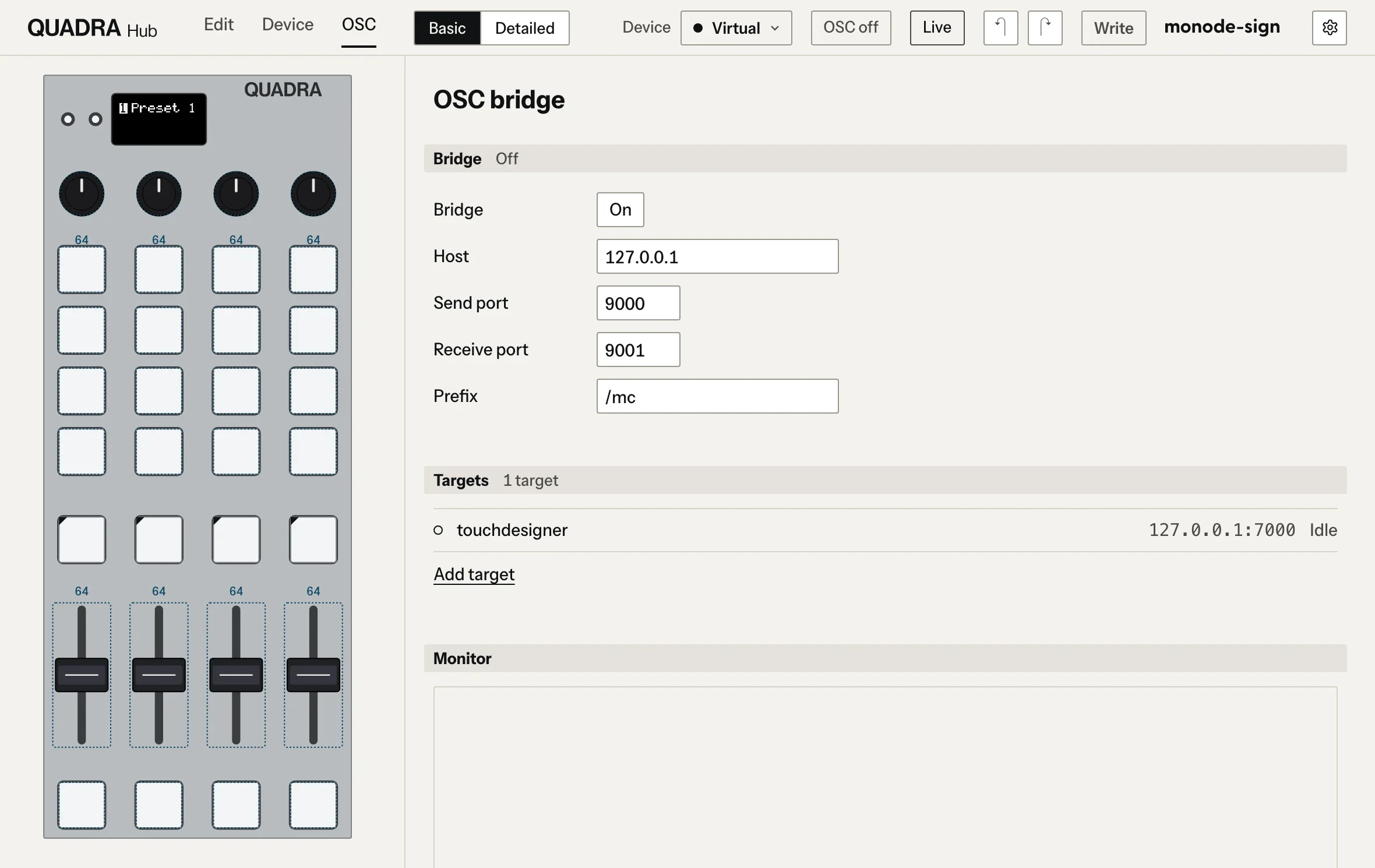
OSCの送受信にも対応し、フェーダーやキーの値をTouchDesigner、QLab、Resolume、Max、VRChatなどへ直接送信できます。キーの色もOSCで指定できます。QUADRA Hub also sends and receives OSC, so fader and key values can go straight to TouchDesigner, QLab, Resolume, Max, VRChat and more. Key colours can be set over OSC too.
Q&AQ&A
ドライバは必要ですかDoes it need a driver?
不要です。USB-Cで接続すると、WindowsとmacOSのどちらでもMIDI機器として認識されます。No. Connected over USB-C, it is recognised as a MIDI device on both Windows and macOS.
パソコンなしで使えますかCan I use it without a computer?
使用できます。USB-Cを充電器やモバイルバッテリーに接続すると、起動から約3秒後に背面のTRS MIDI OUTからMIDIの出力が開始されます。Yes. Power the USB-C port from a charger or a mobile battery, and MIDI starts coming out of the TRS MIDI OUT on the back about three seconds after power-up.
TRS MIDI OUTはType AとType BのどちらですかIs the TRS MIDI OUT Type A or Type B?
Type Aです。Type Bの機器に接続する場合は、A/B変換ケーブルを使用してください。MIDIの入力端子はありません。Type A. To connect a Type B device, use a cable that converts between A and B. There is no MIDI input jack.
ソフトからキーの色を変えられますかCan my software change the key colours?
変更できます。ソフトからキーと同じ番号のノートやCCをQUADRAに送信すると、キーの色と輝度が変化します。QUADRA HubからOSCで指定することもできます。Yes. When your software sends QUADRA a note or CC with the same number as a key, that key's colour and brightness change. With QUADRA Hub you can also set colours over OSC.
キースイッチは交換できますかCan I change the key switches?
交換可能です。ソケット式のため引き抜いて別のKailh Choc v1に差し替えできます。スイッチが抜けにくい場合は、本体を分解して天板とプレートを取り外す必要があります。装着時は端子の曲がりがないか確認してください。Yes. The switches sit in sockets, so you can pull them out and fit other Kailh Choc v1 switches. If a switch is hard to pull out, you may need to open the unit and remove the top panel and the plate. Check that the pins are straight before pressing one in.
製品仕様Specifications
- 品番MDSH-0002Product No. MDSH-0002
- 操作子:4chのフェーダー(45mm)とノブ(センタークリック付き)、24キー(RGB LED内蔵)、ボタン2Controls: 4 channels of faders (45mm) and centre-detented knobs, 24 keys with RGB LEDs, 2 buttons
- キースイッチ:Kailh Choc v1 Brown ×20、White ×4(ソケット式で交換可能)Key switches: Kailh Choc v1, 20 Brown and 4 White, socketed and swappable
- 表示:0.96インチ128×64 OLEDDisplay: 0.96-inch 128×64 OLED
- 接続:USB-C(USB MIDI、バスパワー)、3.5mm TRS MIDI OUT(Type A)Connections: USB-C (USB MIDI, bus powered), 3.5mm TRS MIDI OUT (Type A)
- 対応OS:Windows、macOS(ドライバ不要)Works with Windows and macOS, no driver needed
- プリセット:8スロット(本体に保存)Presets: 8 slots stored on the unit
- 設定アプリ:QUADRA Hub(Windows、macOS)Configuration app: QUADRA Hub (Windows, macOS)
- 外形:約112 × 305mm、高さ22.1mm(ゴム足を含めて26.1mm)Size: about 112 × 305mm, 22.1mm high (26.1mm with feet)
- 筐体:天板 アルミ1.5mmマットアルマイト、底板 アルミ2.0mm黒アルマイトCase: 1.5mm aluminium top with matte anodising, 2.0mm aluminium bottom with black anodising