
TACTUS
Eurorack Module
MNDS-H01
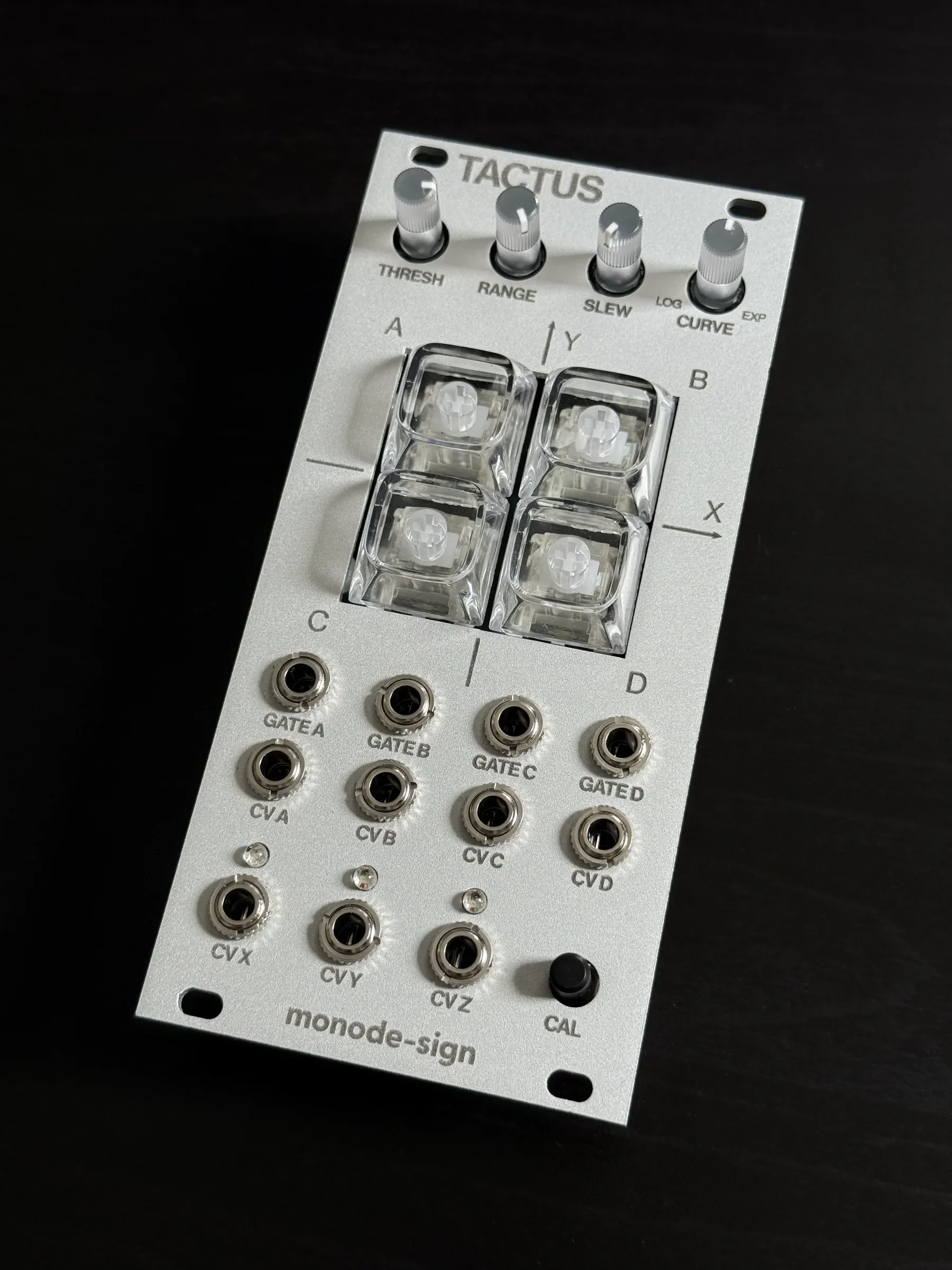
4 つのキーを押す深さによって、CV / Gate を操るモジュールです。キー個別の出力に加え、4 キーで XY パッドのような操作も可能です。トリガーからモジュレーションまで、指先からラックに変化を加えます。A module that turns how deep you press its four keys into CV / Gate. Beyond per-key outputs, the four keys together act like an XY pad. From triggers to modulation, it brings change to your rack — straight from your fingertips.
ギャラリーGallery
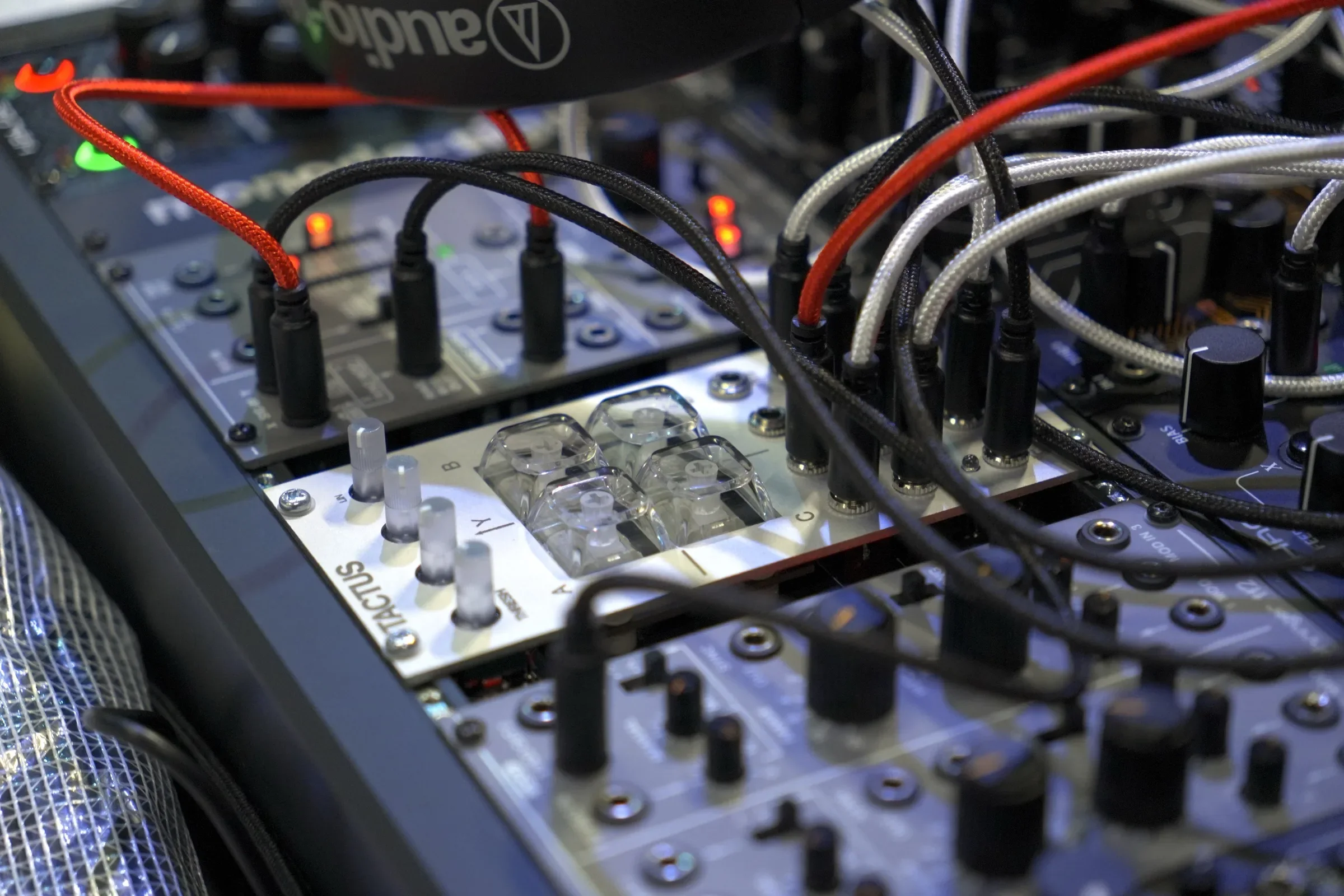
ユーザーの投稿From users
販売についてAvailability
海外向けの通販は Perfect Circuit で行っています。 Online sales outside Japan are available at Perfect Circuit.
機能Features
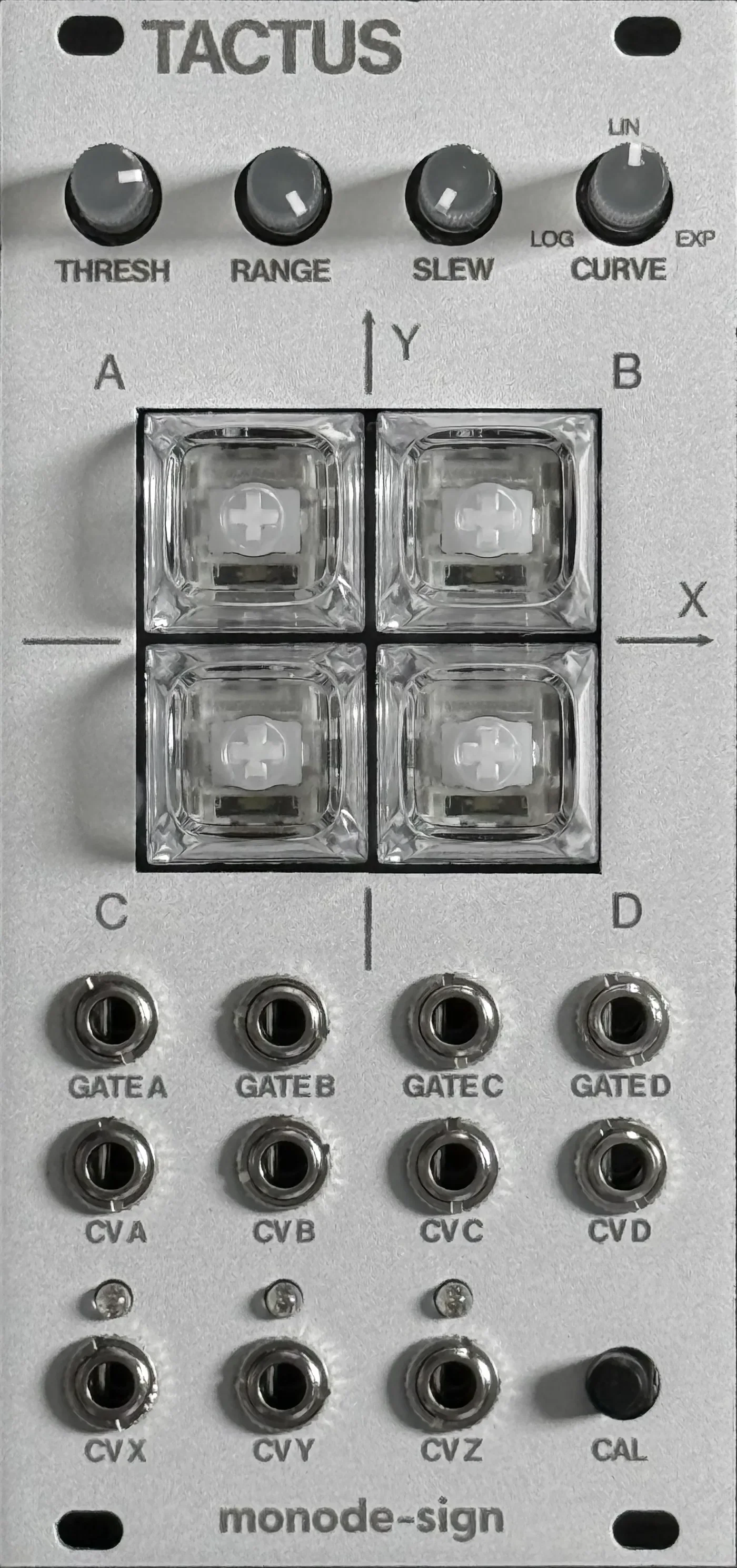
4 つのキーは、それぞれの押し込み量を 0〜5V のなめらかな CV として出力します。RANGE で電圧の幅を、CURVE で応答カーブ(LOG / LIN / EXP)を調整でき、押し込みが THRESH を超えるとキーごとの Gate がオンになります。SLEW を上げると、出力の追従がなめらかになります。Each of the four keys outputs its press depth as a smooth 0–5V CV. RANGE sets the voltage span and CURVE the response (LOG / LIN / EXP); when a key's press exceeds THRESH its Gate turns on, and SLEW smooths how the outputs track.
4 つのキーの押し込みからは、左右 (X)・上下 (Y) の重心を −5〜+5V、全体の押し込み量 (Z) を 0〜5V として計算します。XY パッドのような感覚でパラメーターを操作できます。From the four keys it computes the press centroid — left–right (X) and up–down (Y) across −5 to +5V — and the total depth (Z) across 0–5V. Control parameters with the feel of an XY pad.
デモDemo
- 2×2 のキー面にカーソルをかざすと、近いキーほど深く押し込まれますHover over the 2×2 key surface — the nearer keys press deeper
- ノブはドラッグで回すことができますThe knobs can be turned by dragging
※ 動作イメージの参考です。実機の挙動と完全には一致しません。Note: an illustration of the behaviour — it does not exactly match the actual hardware.
コントロールControls
出力Outputs
キャリブレーションCalibration
出荷時に調整していますが、キーの押し込みを検知する磁気センサーの値は、使用にともなってずれることがあります。入手して最初に使い始めるときと、動作が気になったときに、随時キャリブレーションすることをおすすめします。Each unit is calibrated before shipping, but the magnetic sensors that read key depth can drift with use. We recommend calibrating when you first start using the module, and again whenever the response feels off.
- CAL ボタンを 3 秒以上押し続け、4 つのキーが順番に回るように光ったら離します。Hold the CAL button for at least 3 seconds, and release it once the four keys light up one after another in rotation.
- キーに触れないまま、CAL ボタンを 1 回押して離します(長押しは不要です)。Without touching any key, press and release CAL once (no need to hold it).
- 4 つのキーが同時に点滅したら、4 つすべてのキーを完全に下まで押し切って押さえたまま、CAL ボタンを 1 回押して離します。When the four keys start blinking together, press all four keys fully down, and — while holding them — press and release CAL once.
- キーを離します。これでキャリブレーションは完了です。Release the keys. Calibration is complete.
キャリブレーションの結果は本体に保存され、電源を切っても保持されます。The result is stored in the module and kept across power cycles.
途中でやめたいときは、CAL ボタンをもう一度 3 秒以上押し続けると、保存せずにキャンセルします。20 秒間なにも操作しない場合も自動でキャンセルします。To abort, hold CAL for at least 3 seconds again — the module cancels without saving. It also cancels automatically after 20 seconds of no input.
CAL ボタンを 10 秒以上押し続けると、キャリブレーションを出荷時の既定値に戻します(ファクトリーリセット)。通常は使用する必要はありません。Holding CAL for at least 10 seconds resets the calibration to its factory defaults. You normally won't need this.
Q&AQ&A
THRESH を最小にすると Gate がオンのままになり、最大にするとオフのままになるWith THRESH at minimum the Gates stay on; at maximum they stay off.
正常な動作です。THRESH は Gate がオンになる押し込みの深さを決めるため、最小ではキーに触れていなくてもしきい値を超え、最大では押し切ってもしきい値に届きません。This is normal. THRESH sets the press depth at which the Gates turn on — at minimum even an untouched key is past the threshold, and at maximum even a full press does not reach it.
CURVE を LOG 側に回すと、キーを押していなくても CV 出力が 0V より高くなる。EXP 側に回すと、押し切っても最大の電圧に届かないことがあるWith CURVE toward LOG, the CV outputs sit above 0V even with no key pressed. Toward EXP, a full press may not reach the maximum voltage.
正常な動作です。応答カーブの性質によるもので、LOG 側はわずかな押し込み(センサーの残留値を含む)を大きく持ち上げ、EXP 側は深く押し込むほど急に立ち上がります。This is normal. It comes from the shape of the response curve — the LOG side strongly lifts even tiny presses (including sensor residue), while the EXP side rises steeply only near the bottom of the press.
SLEW を上げていると、出力の変化が分かりにくくなったり、変わっていないように見えたりするWith SLEW turned up, the outputs seem to change indistinctly, or not at all.
正常な動作です。SLEW は出力の追従をなめらかにするため、値が大きいほど変化がゆっくりになります。速く反応させたいときは SLEW を下げてください。This is normal. SLEW smooths how the outputs track, so the higher it is, the slower they move. Turn SLEW down for a faster response.
RANGE が低いと、キーを押しても CV がほとんど動かないWith RANGE low, the CVs barely move even when a key is pressed.
正常な動作です。RANGE は CV 出力全体の電圧幅を決めます。大きく動かしたいときは RANGE を上げてください。This is normal. RANGE sets the voltage span of all CV outputs. Turn RANGE up for a larger swing.
磁石など磁気の強いものを近づけると、キーの読み取りがうまくいかないことがあるBringing a magnet or anything strongly magnetic close to the module can upset the key readings.
キーの押し込みは磁気センサーで検知しているため、磁気の強いものが近くにあると読み取りに影響します。モジュールの近くに磁石や磁気を帯びたものを置かないでください。通常のユーロラックモジュール用ケースに取り付けて使用する分には問題ありません。Key presses are read by magnetic sensors, so strong magnetism nearby affects the readings. Keep magnets and magnetized objects away from the module. Mounting it in an ordinary Eurorack case is not a problem.
製品仕様Specifications
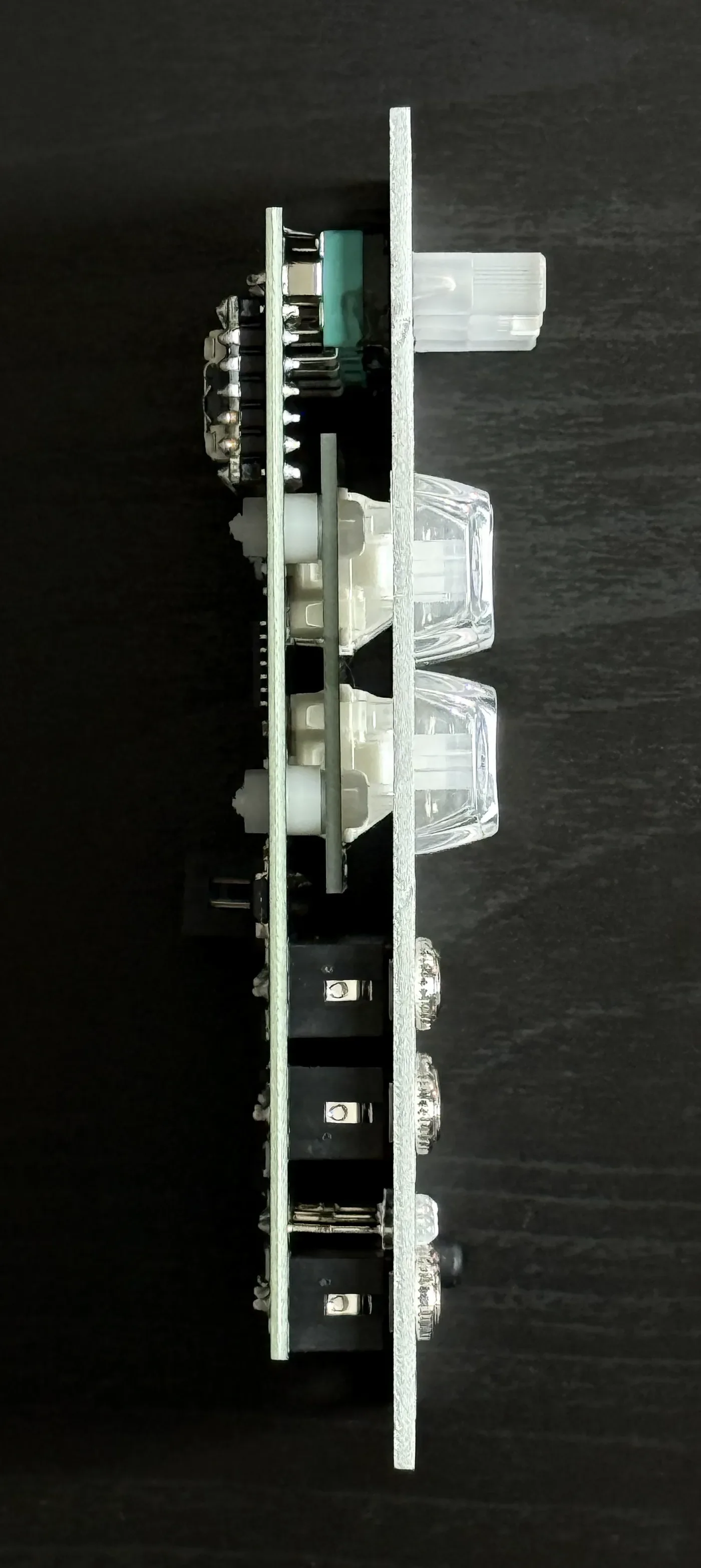
- 12HP12HP
- アルミパネルAluminum panel
- 消費電流Power draw
- +12Vup to 10 mA
- −12Vup to 10 mA
- +5Vup to 150 mA(typ ~90 mA)